


Screenflow for prototype
Drag or swipe to explore →
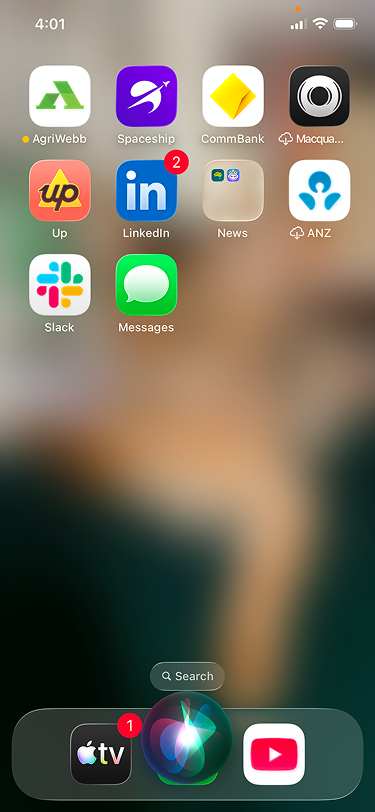
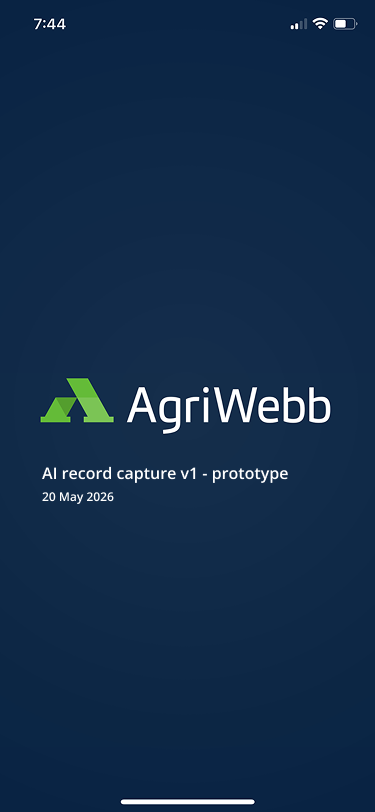
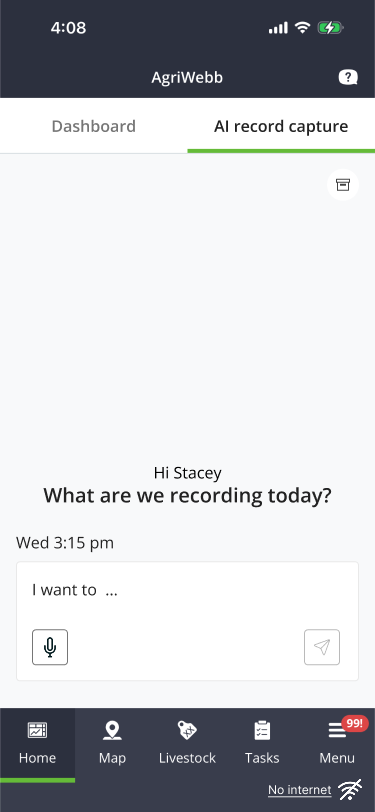
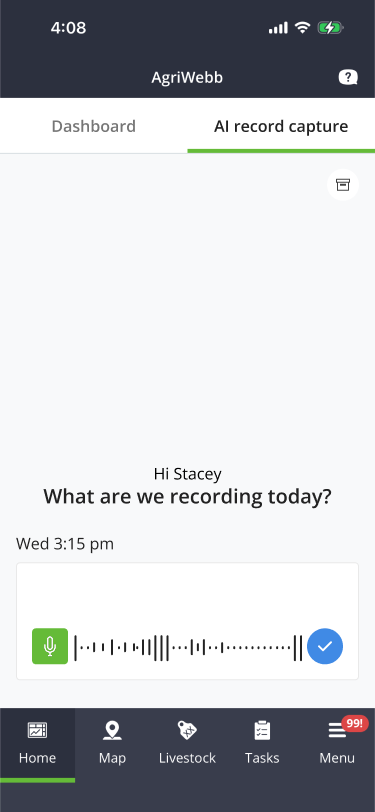
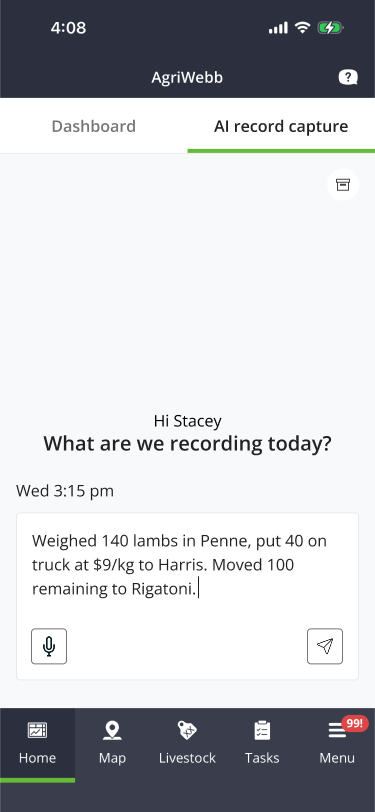
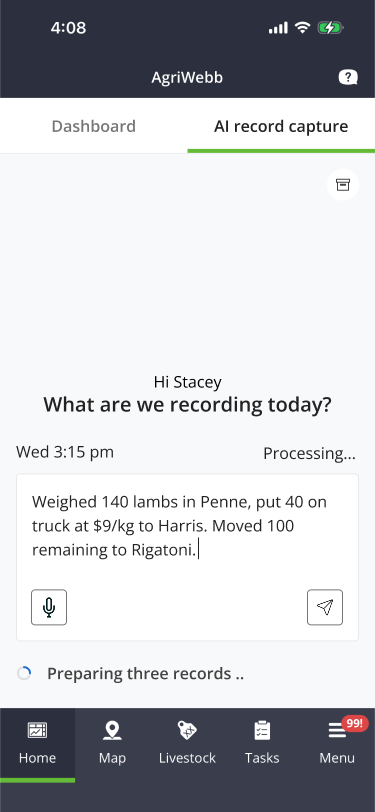
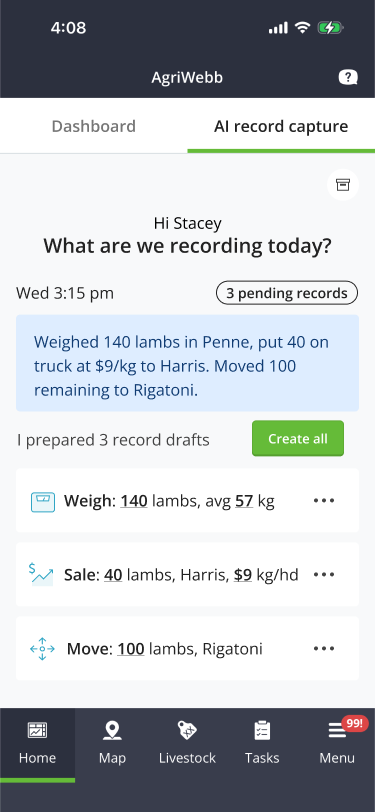
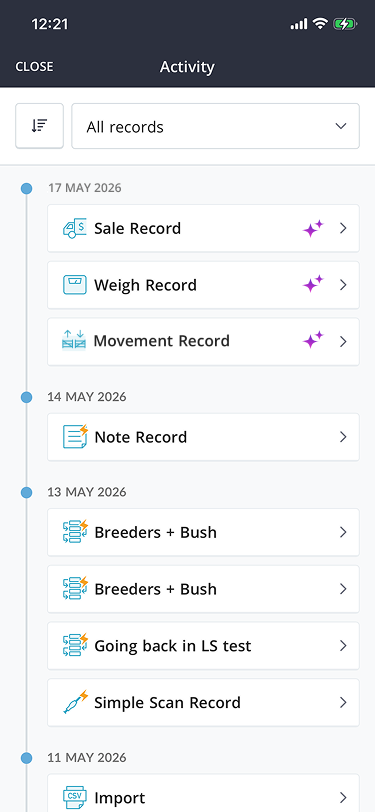
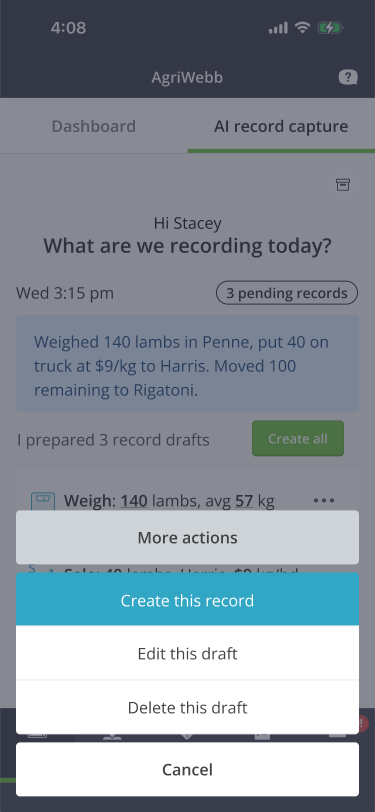
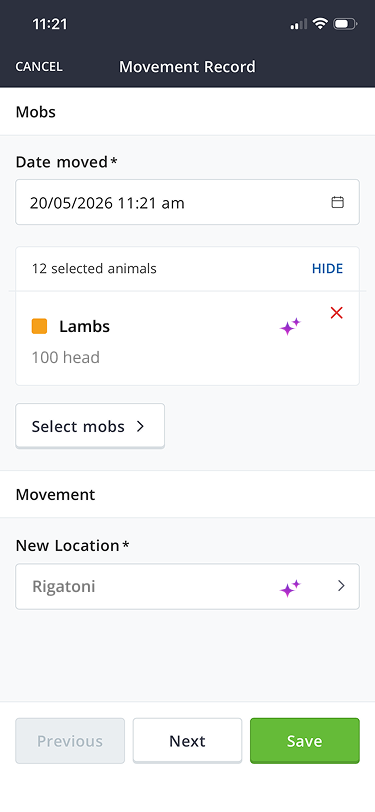
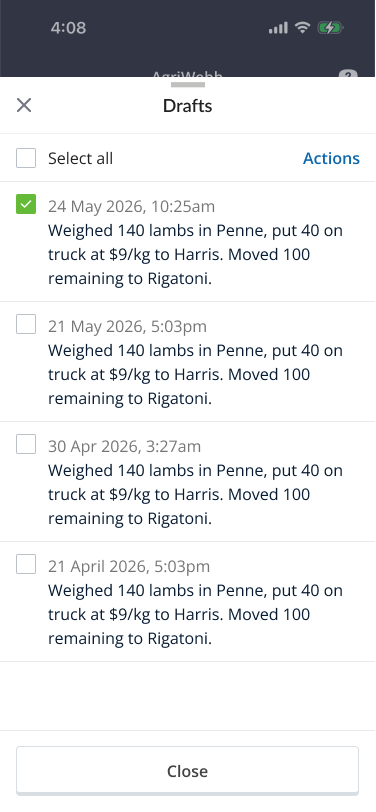
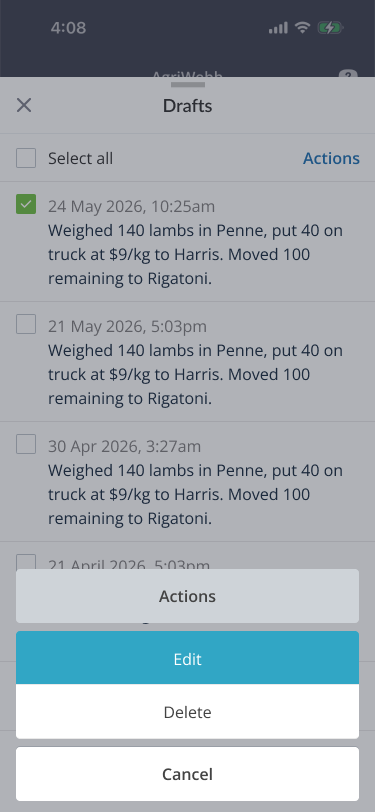
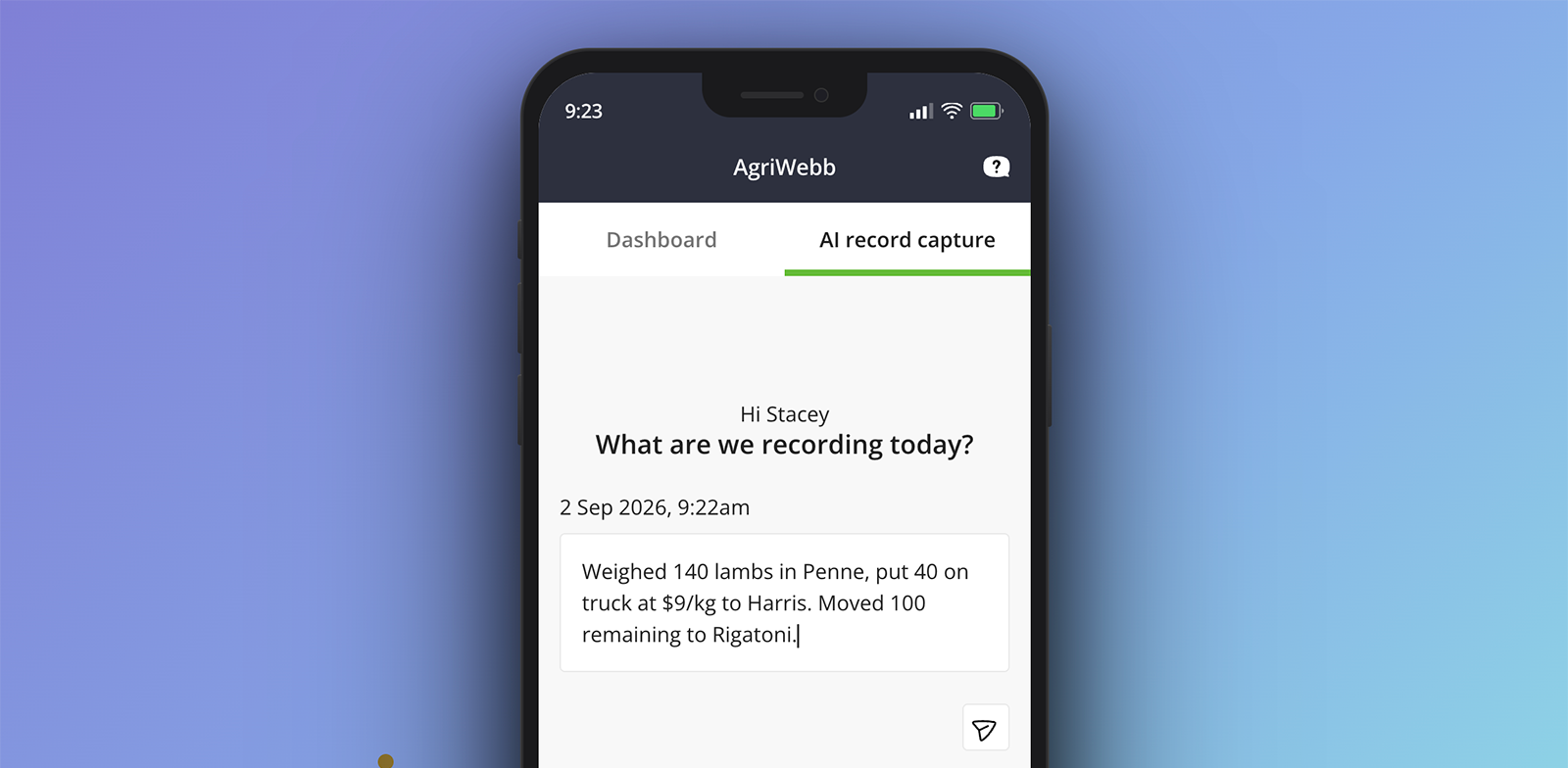
Opening the app with voice
The farmer asks Siri to open AgriWebb. The app launches directly into the AI record capture tab –
no navigation required.
I designed and prototyped an AI-powered feature that converts voice, text, and photo inputs into structured farm records - scoped, designed, and handed off to engineering in a single sprint.
with Stacey Hogan & Jeff Burn
Section 01 – The challenge
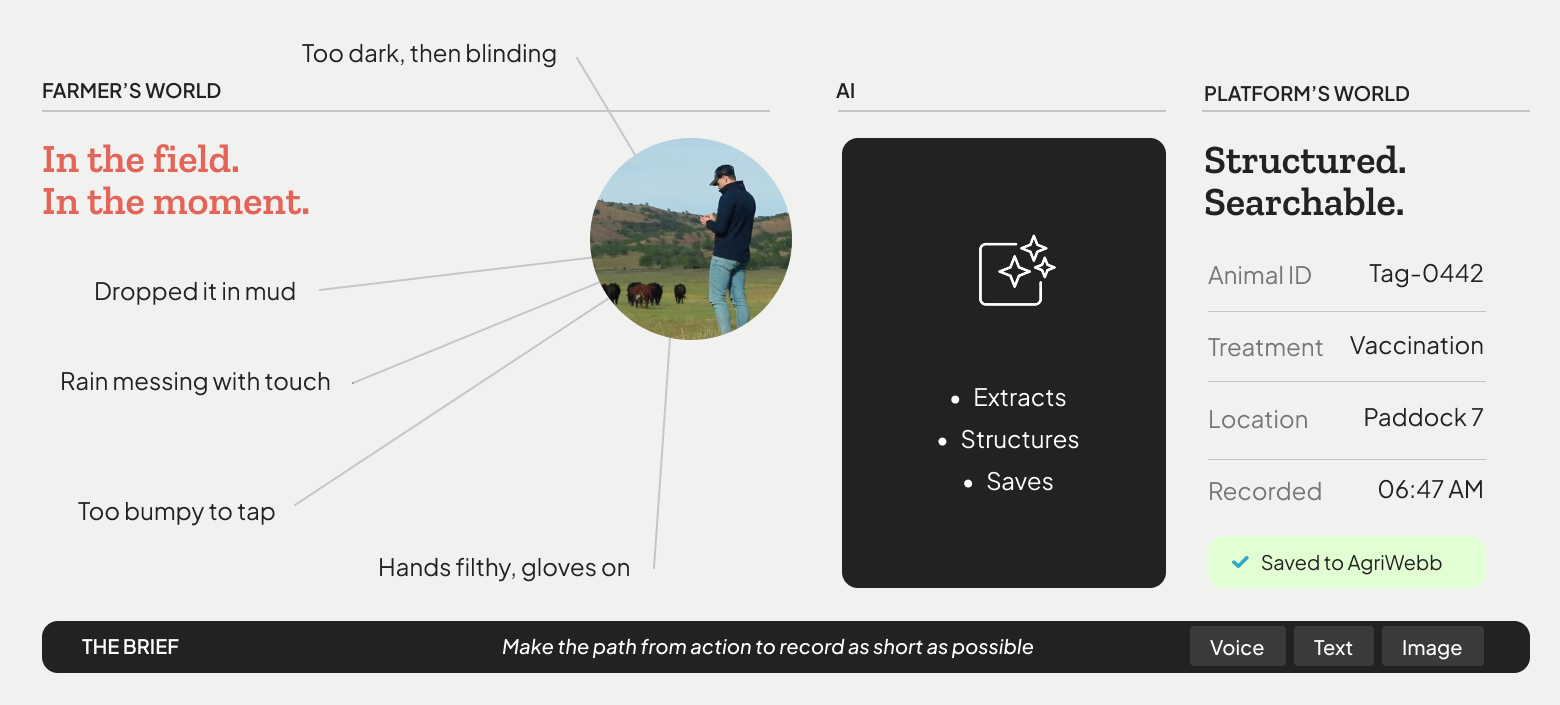
Four questions that sparked this project
01User feedback
How might we make the path from action to record as short as possible?
02Technology fit
How might we use voice to let farmers record without stopping what they're doing?
03Tech adoption
How might we introduce AI in a way that earns a farmer's trust from the first use?
04Experimentation
How might we move from lengthy validation cycles to rapid experimentation?
Section 02 – The process
Rapid prototyping: delivered in one sprint
MVP scoped to existing design system components – no new UI patterns, no new tech. A rapid experiment to validate core assumptions before committing to full development.

Constrain
Existing AgriWebb modules only – no new UI patterns
Build
Prototype in Claude Code – interactive and production-adjacent

Test
In-field with real farmers – not in a meeting room
Evaluate
Design, technical, and investment decisions in one pass
01
Challenge: Finding the right AI entry point
A key design question was how to make AI capture readily available without disrupting existing workflows – and what the most intuitive entry point would be.
1 Main nav
Dedicated AI tab in primary navigation.
2 FAB
Persistent floating button on existing screens.
3 Inline input
Embedded AI field at the top of the workflow.
02
Challenge: Presenting AI-generated content
If AI pre-fills parts of a form, should users be informed? What is the most effective way to communicate AI contributions while keeping the experience simple?
1 Global banner
Communicates AI pre-fill across the full screen.
2 Minimal pill
Subtle, lightweight disclosure.
3 Field-level
Marks each AI-generated field explicitly.
Wireframed ideas
Drag or swipe to explore →
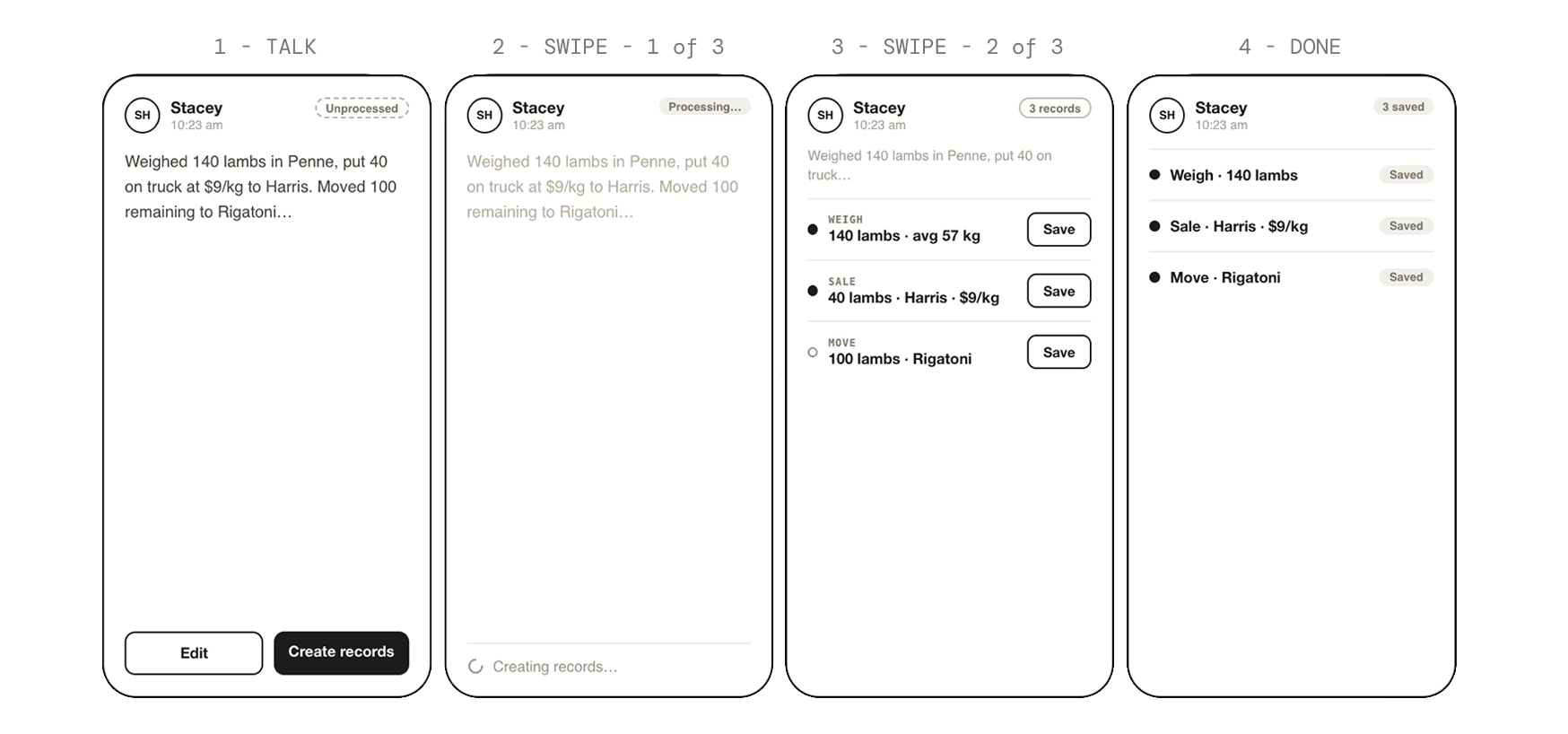
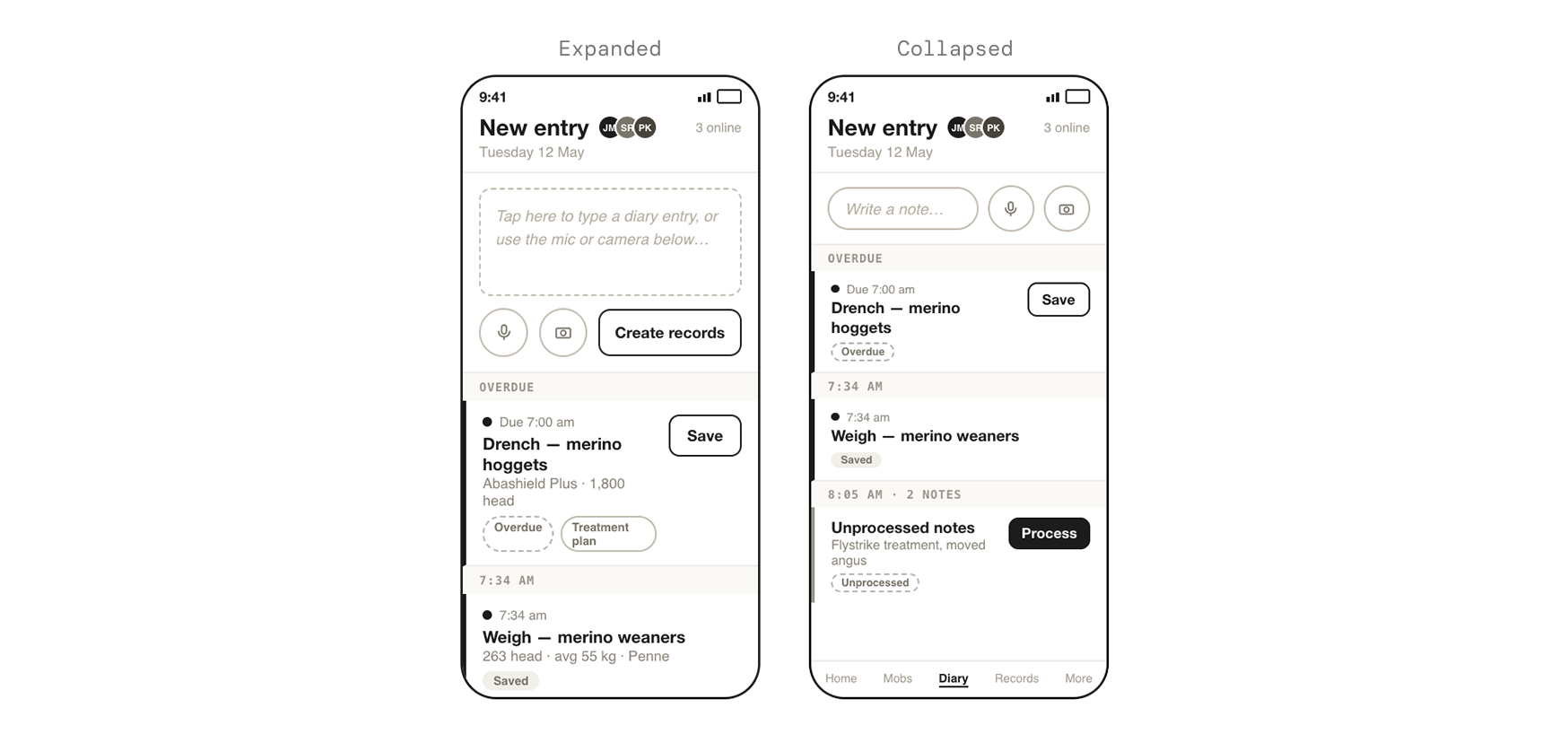
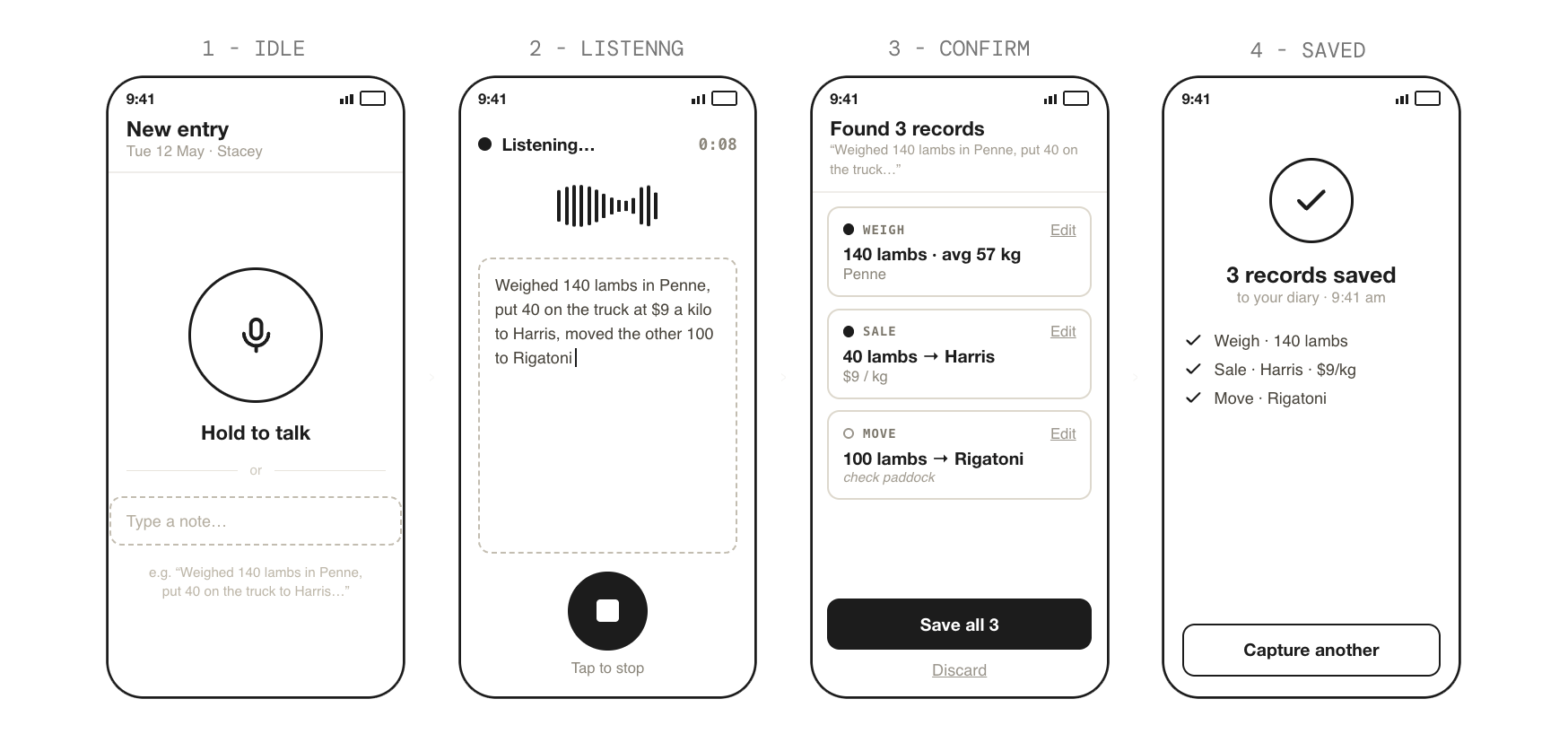
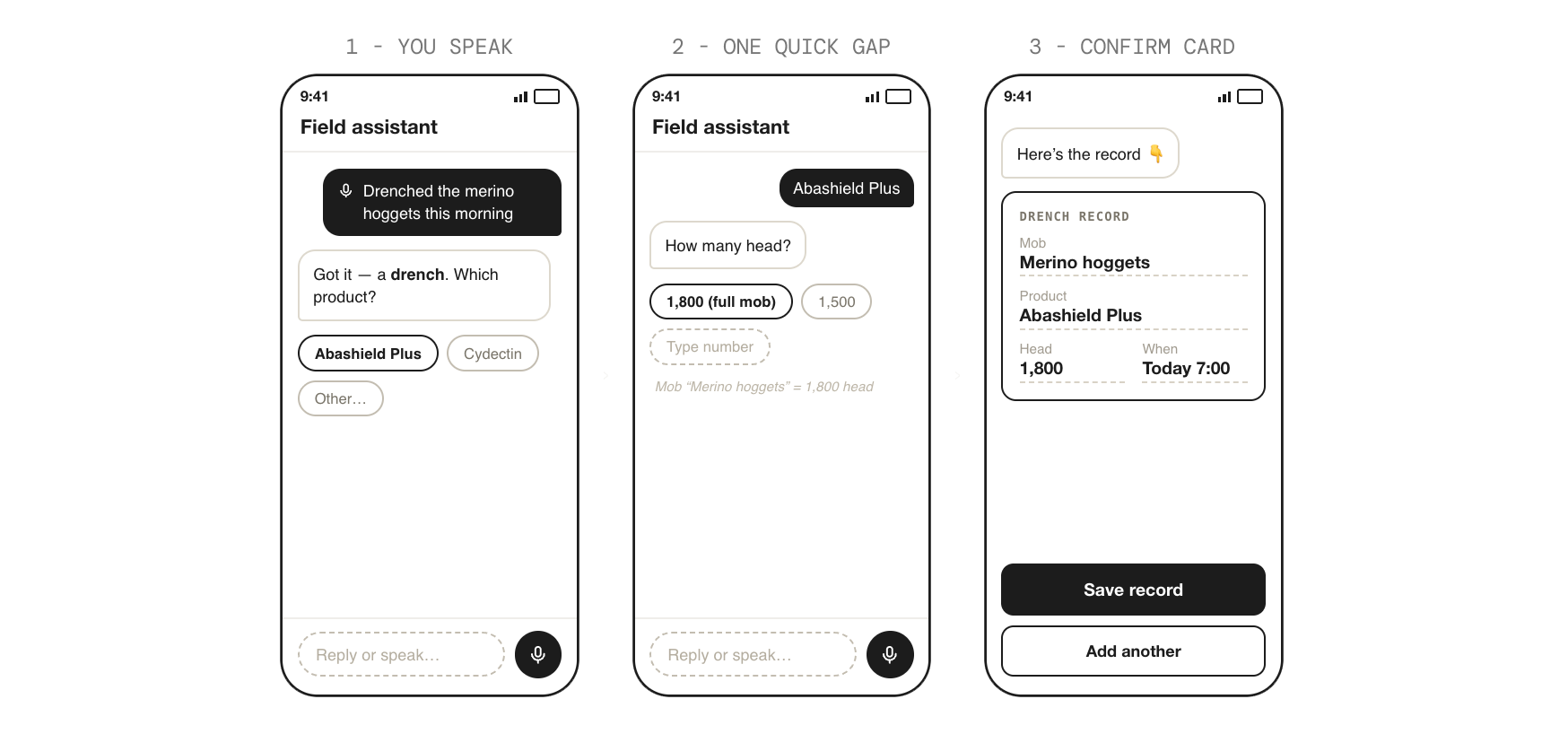
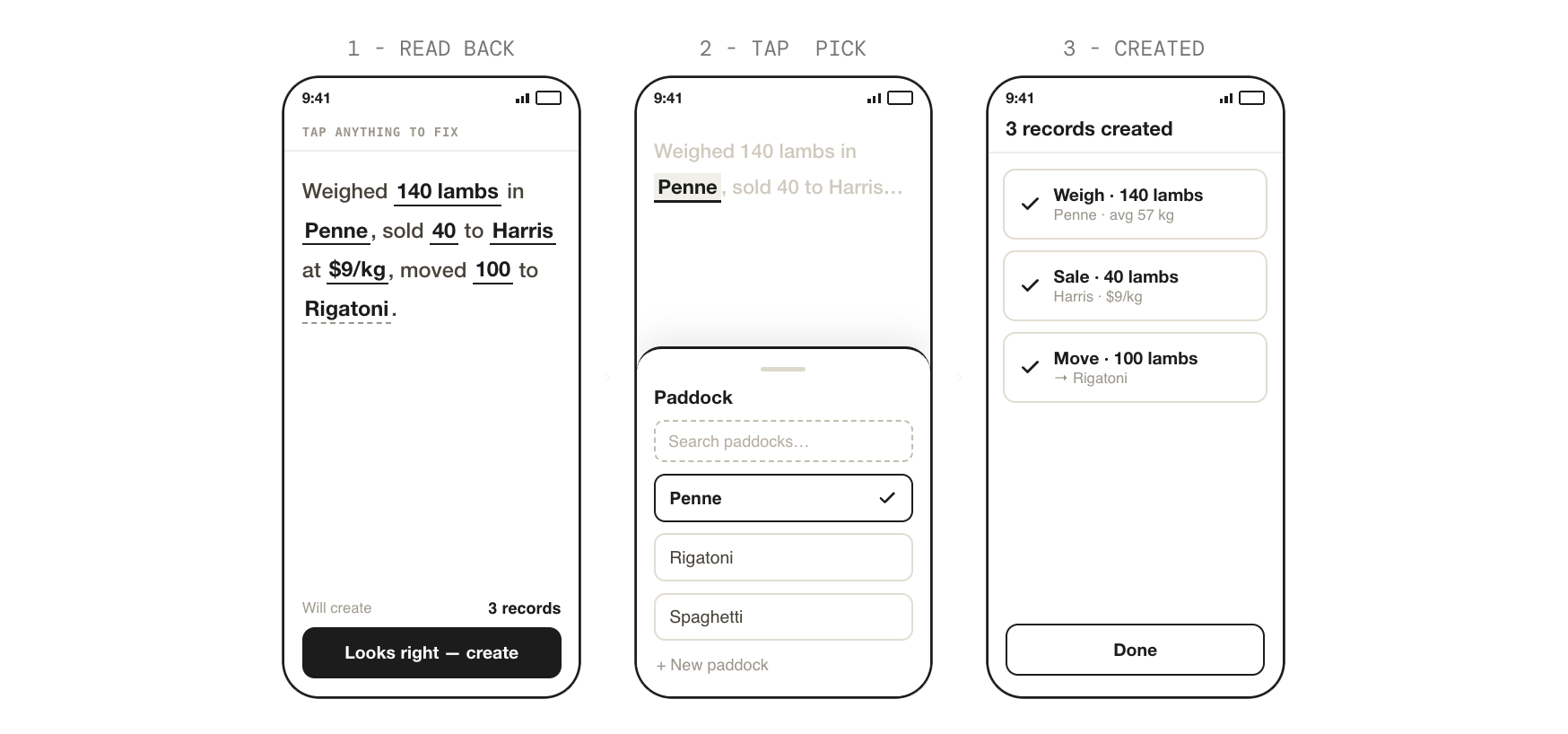
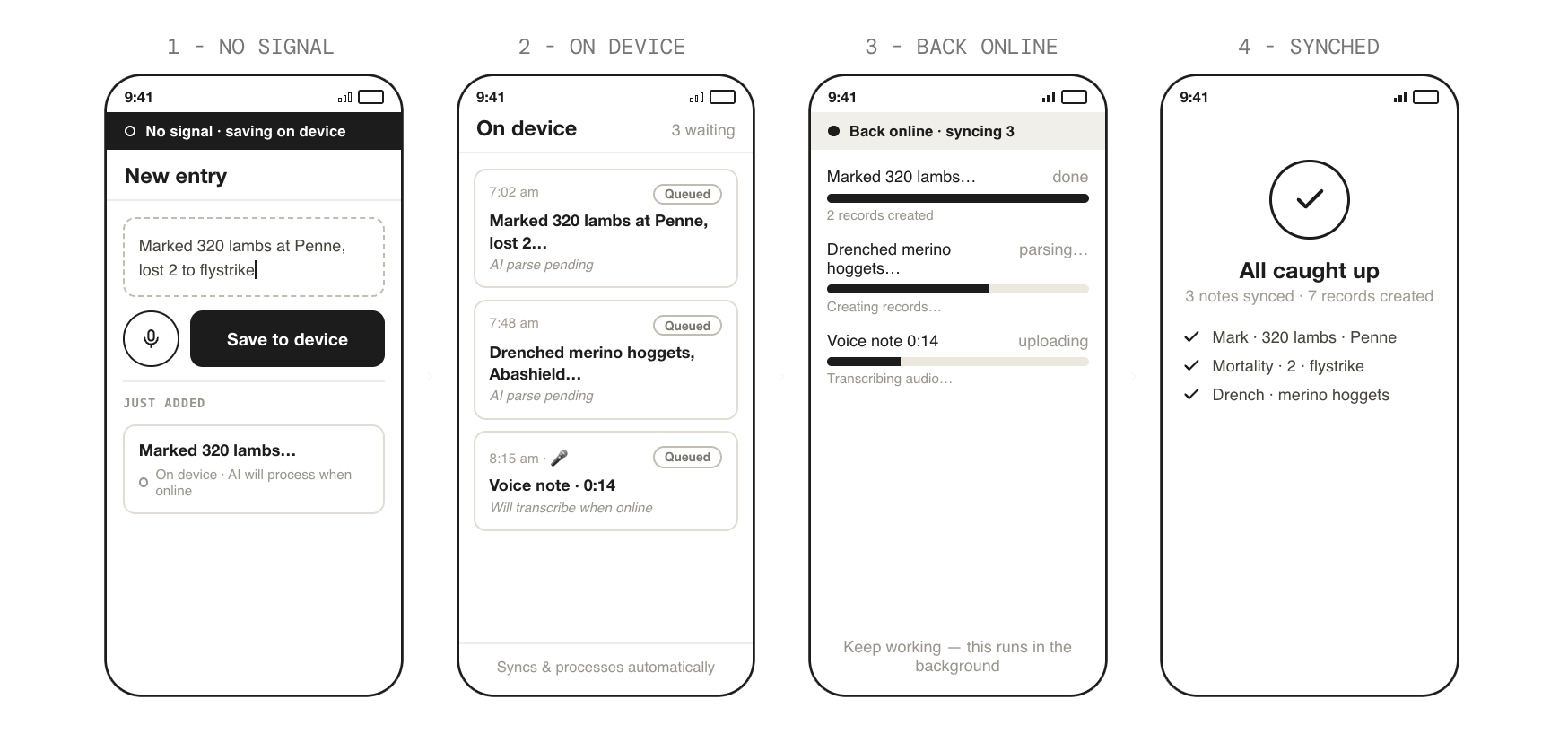
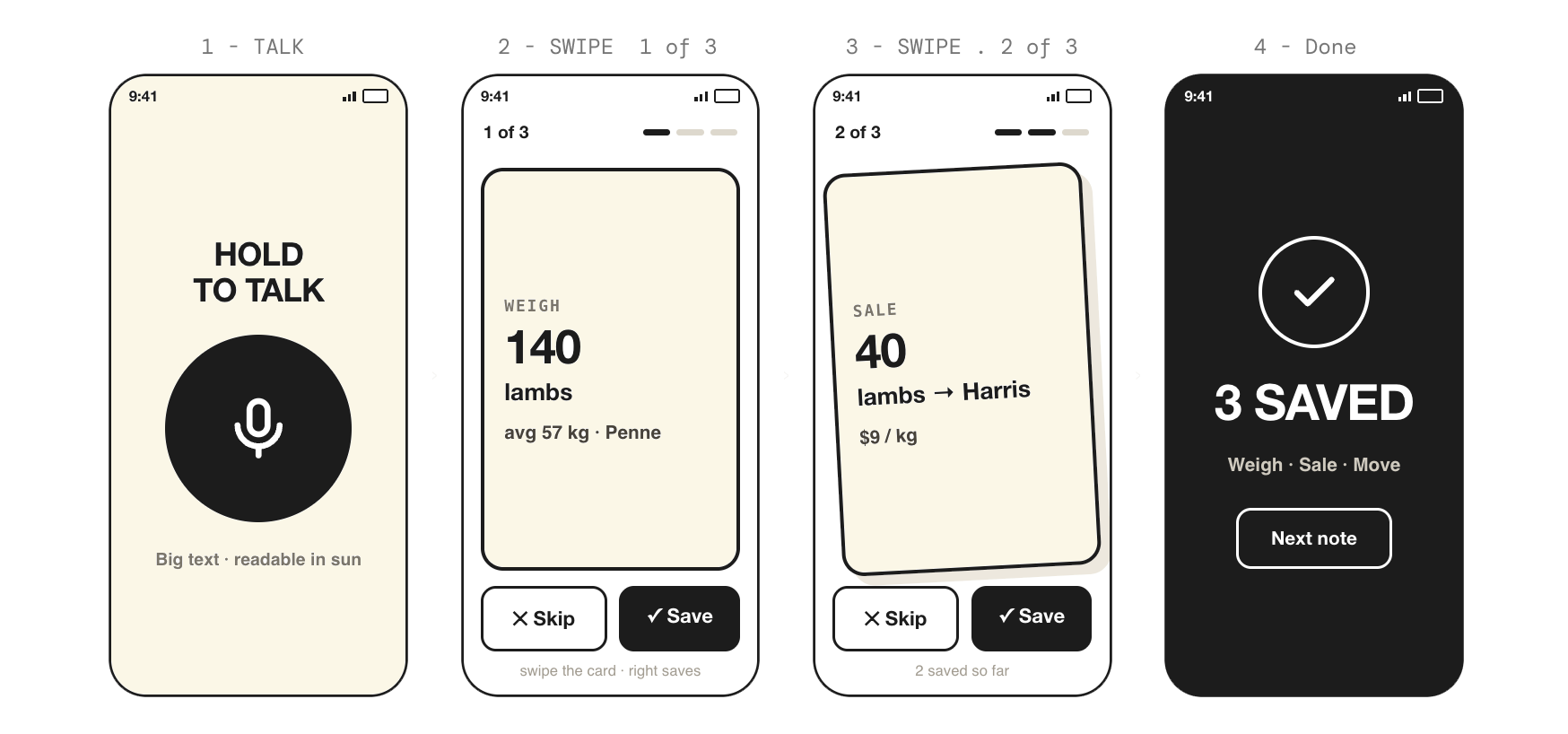
1 · One note → many records (life cycle)
A free-text note moves from unprocessed → AI processing → reviewable records → saved.
Interactive prototype: Record capture with AI
View prototype →Section 03 – Outcome & impact
- 3
- Core interactions
- 1
- Working prototype
- ↓
- Cycle time
Compose · Feed · AI processing
Delivered to engineering
1 sprint
A working prototype delivered to engineering in a fraction of the time a conventional cycle would have taken. The design direction was clear, the technical feasibility validated, and the foundation for a meaningful investment decision laid – built from reusable code, ready to carry directly into production.
Prototype delivered to engineering
Interactive, testable, reusable code
Design direction established
Clear – not provisional
Technical feasibility validated
AI-assisted, sprint-built
Investment foundation laid
Evidence-backed next step
Speed as proof of concept
Rapid AI experimentation viable for product teams
Production development
Handed to engineering – next phase
Farmer field validation
Prototype ready – sessions pending
Photo compose state
Deliberately deferred from MVP scope
 Galvanizing