


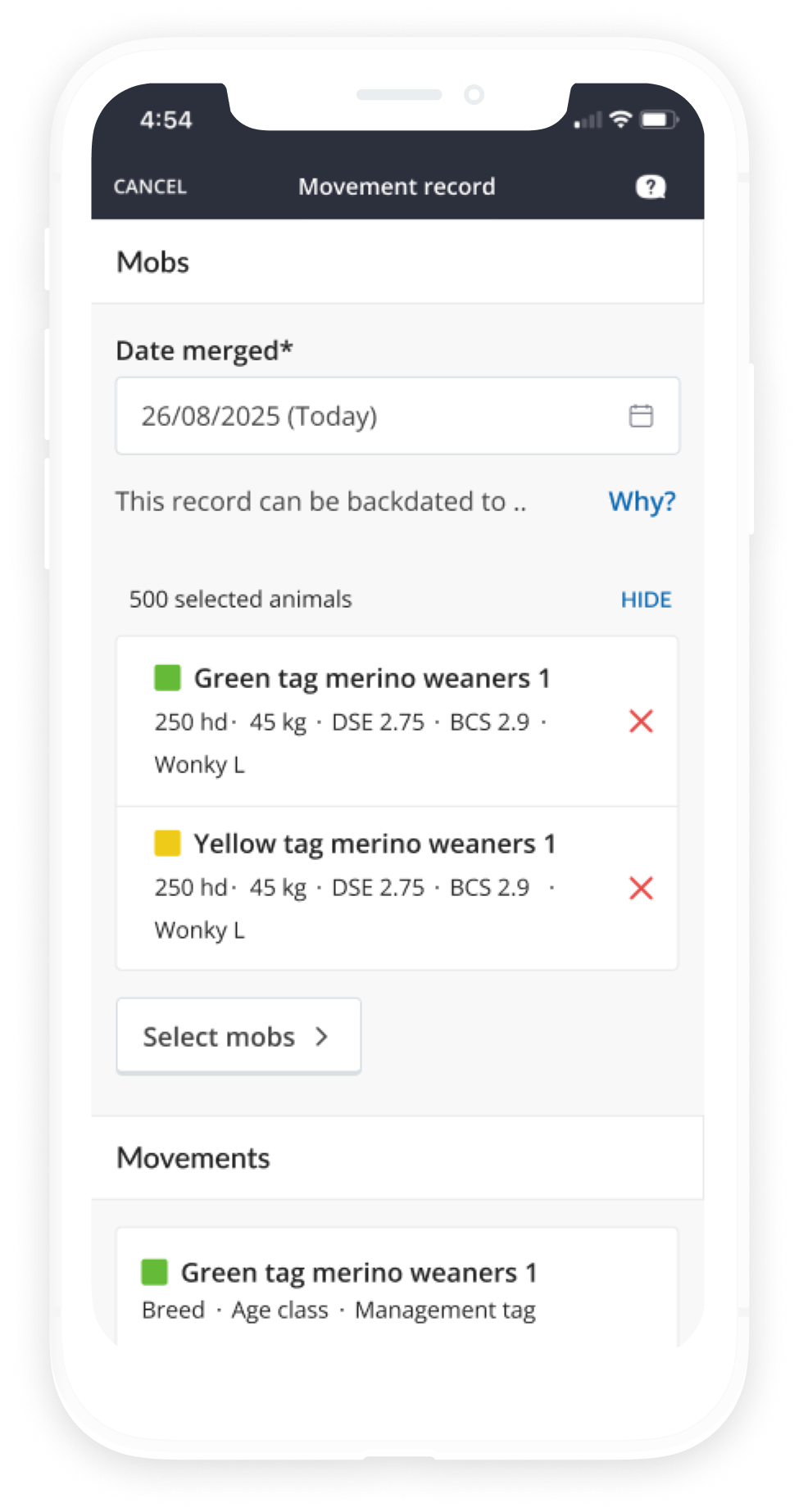
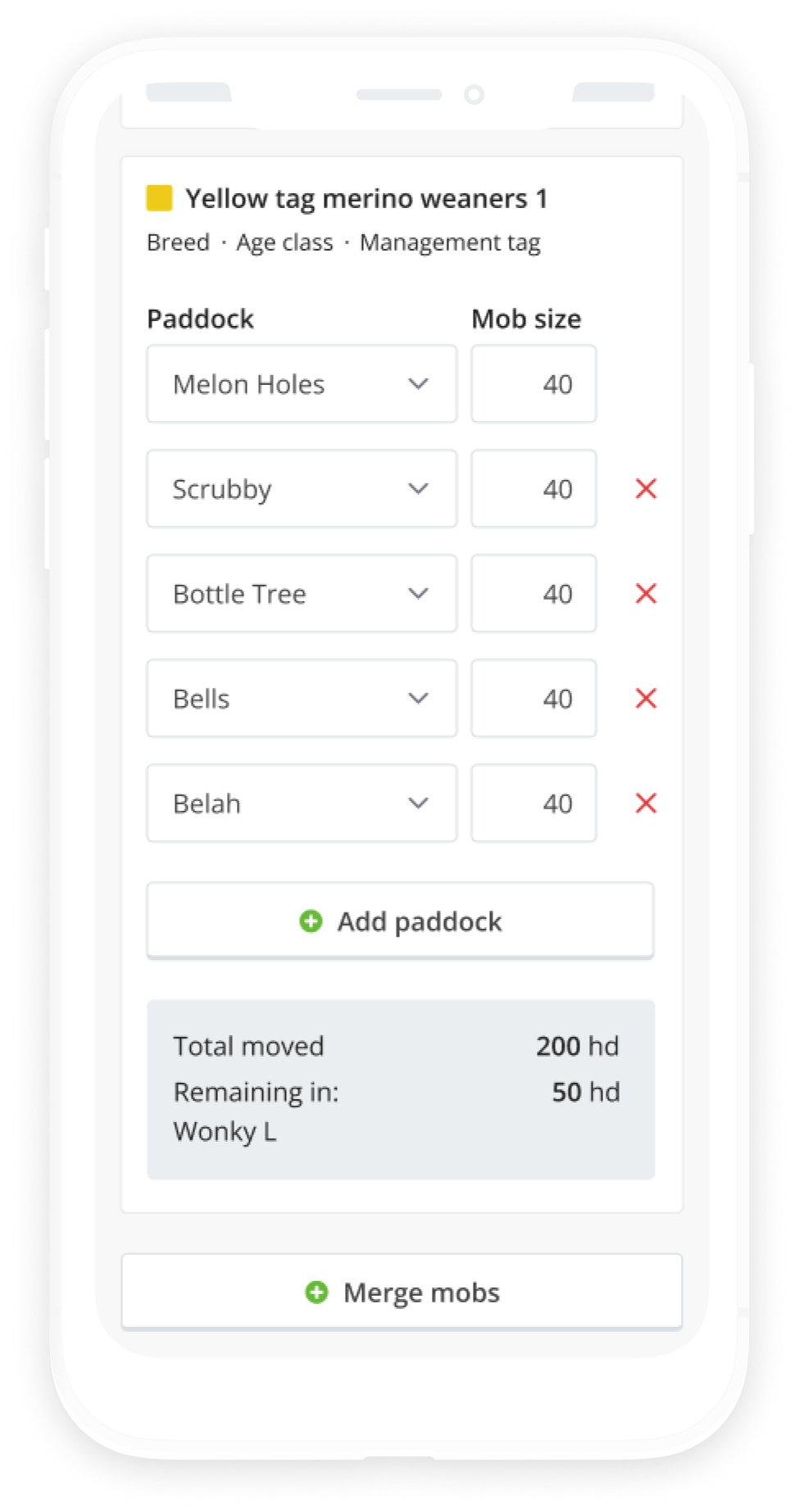
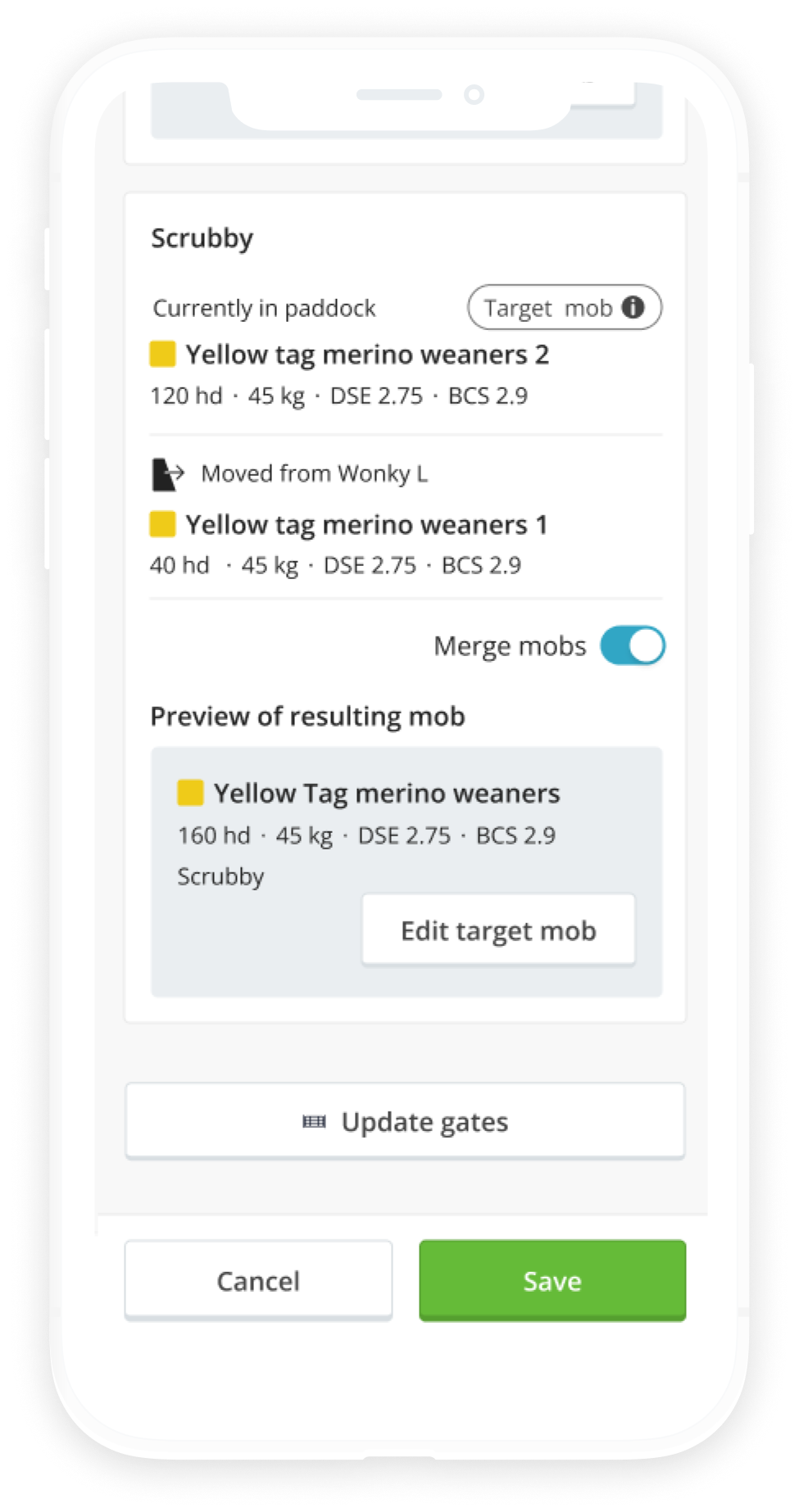
I led design within a tight product-and-engineering loop at AgriWebb, shaping the split and merge logic behind mob movements so it finally reflected how farmers actually move animals in the field.
with Jess Shipp & Tom Legge
Section 01 – The challenge
AgriWebb handled standard paddock moves with a few taps, but it couldn't support the complex mob management farmers actually practice in the field.
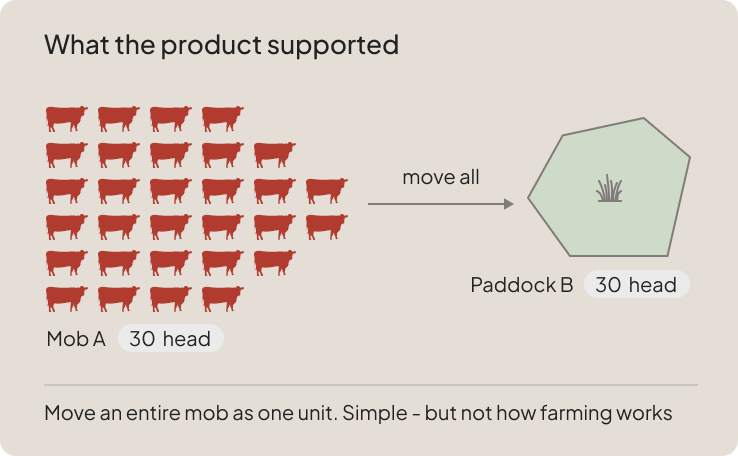
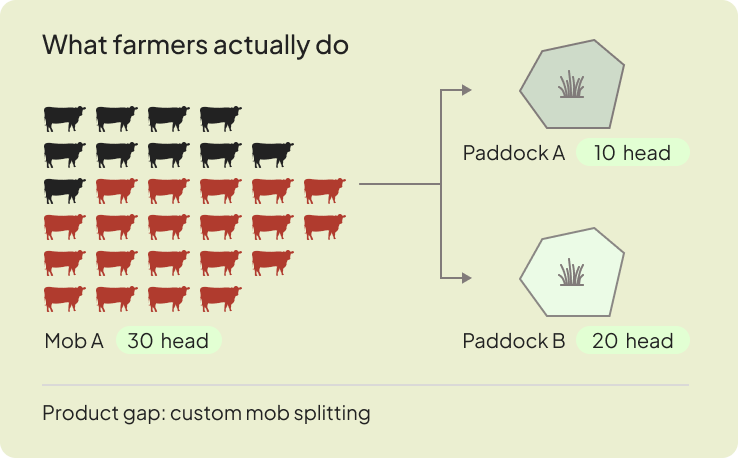
Farmers routinely split mobs across paddocks, but AgriWebb couldn't capture split movements in a single flow. This forced manual workarounds that corrupted stocking data and grazing charts just as movement records surged to over 310,000 in 2024.
"Matt used to ring me up and say, how many cattle are we supposed to have in this paddock?"
"Throughout the week things may change, and additional tasks will get added, but AgriWebb stays our source of truth. When we first signed up to AgriWebb someone told us, 'if it isn't in AgriWebb, it didn't happen', and we've really stuck to that."
The catalystA combination of leadership strategy (the Foragecaster research program) and top-requested user feedback drove the brief: enable seamless mob splitting in a single flow.
Section 02 – The process
At AgriWebb, design, product, and development worked in close collaboration – the decisions described here were made together. My role was to lead the design process from brief through to final handoff.
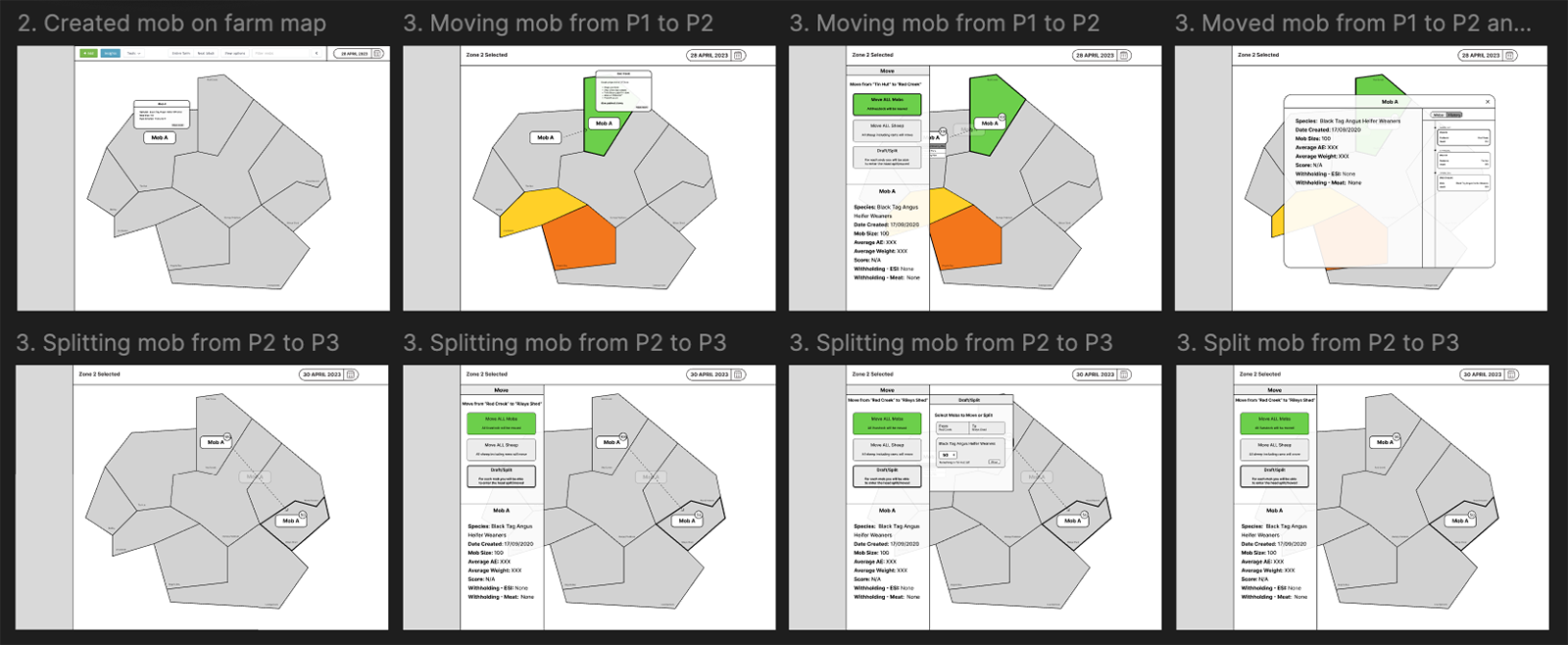
The project was shaped by key inputs across the organisation:
Customer & researchDirect user conversations alongside grazing research from the Foragecaster team
Internal teamWorkshops with product managers

Sales & supportFrontline insights on farmer pain points, workarounds, and product gaps

Insights from datadogProduct analytics on current movement patterns and drop-off points

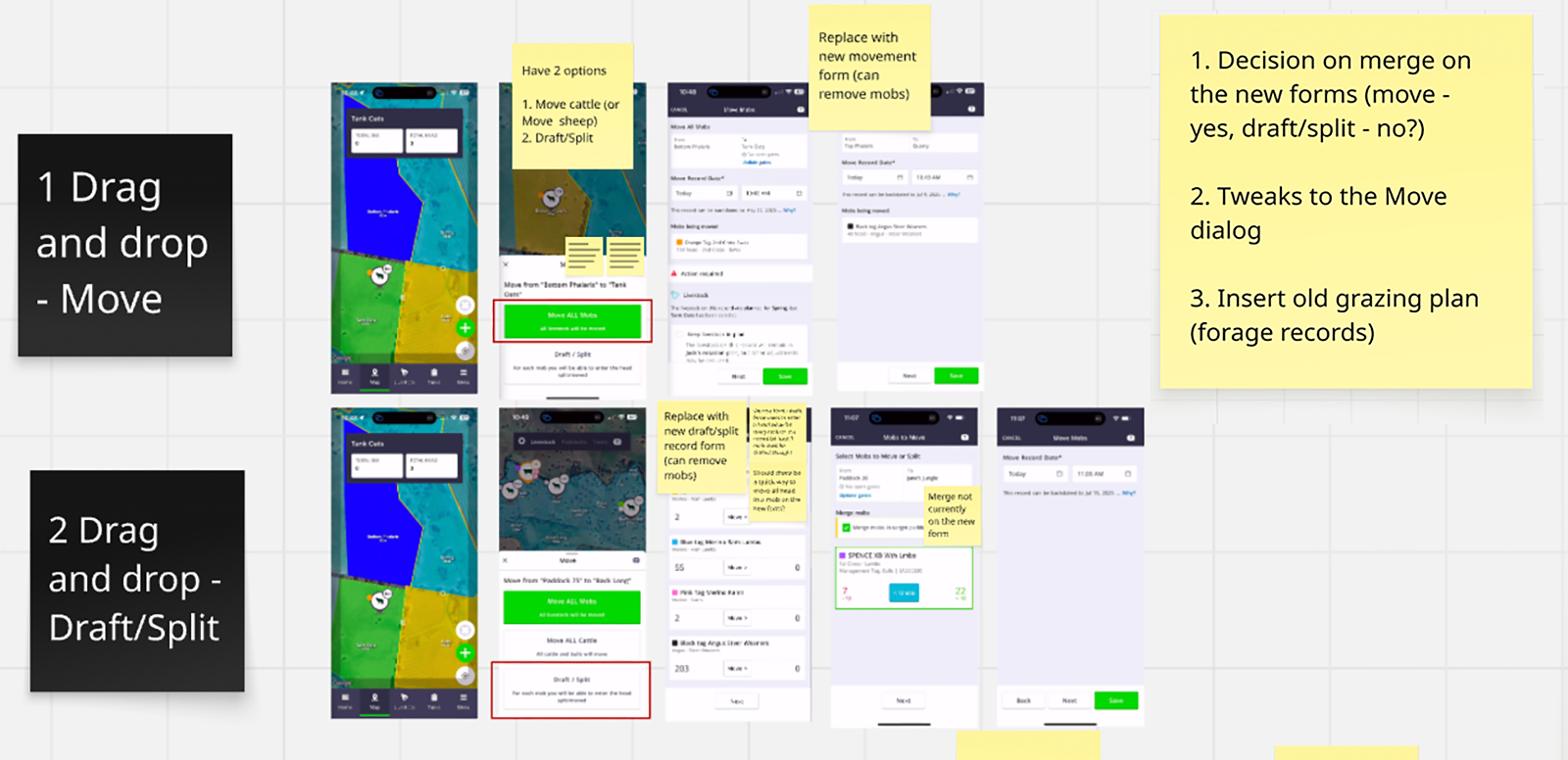
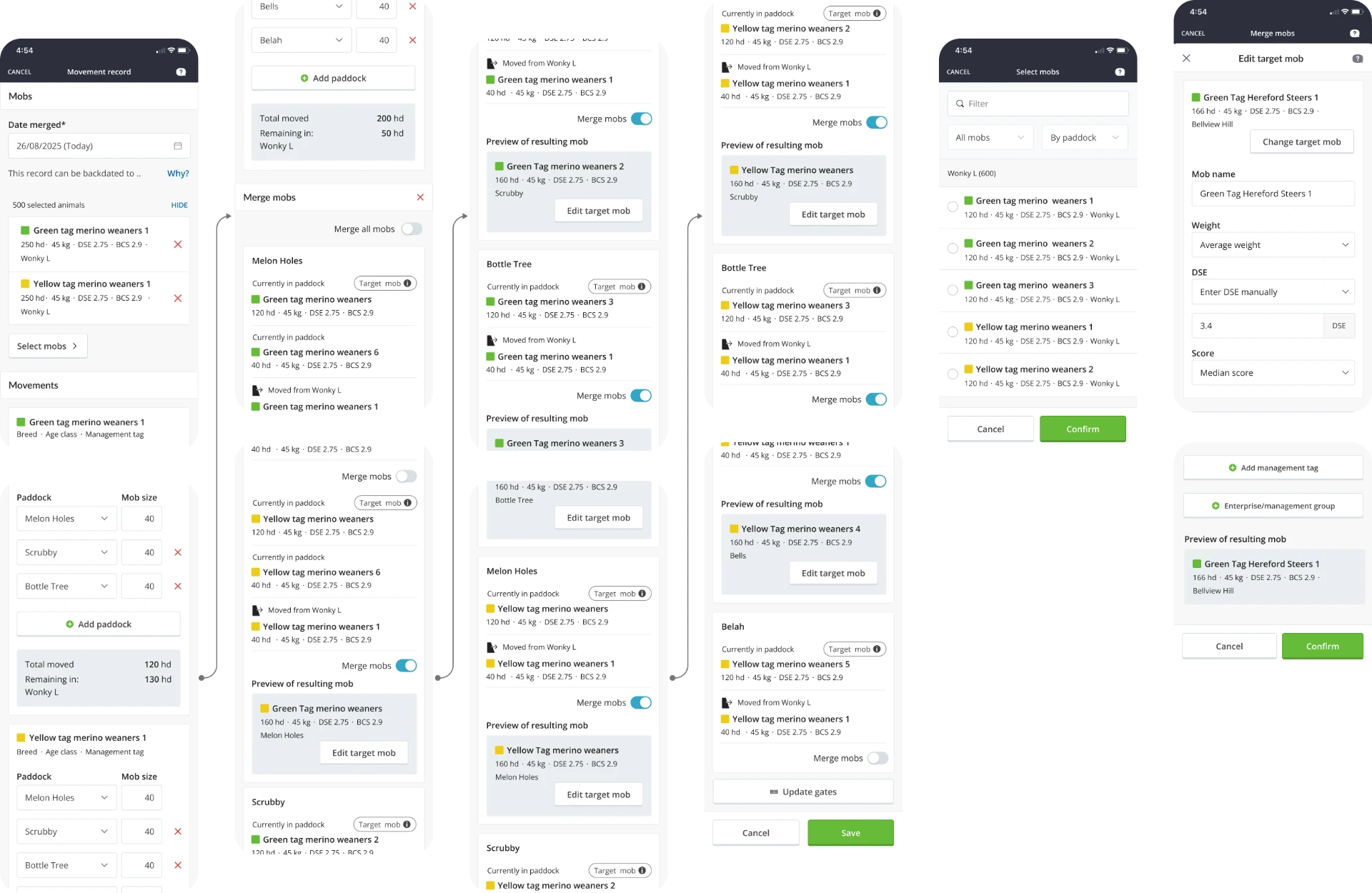
The design integrated two core workflows while preserving data integrity:
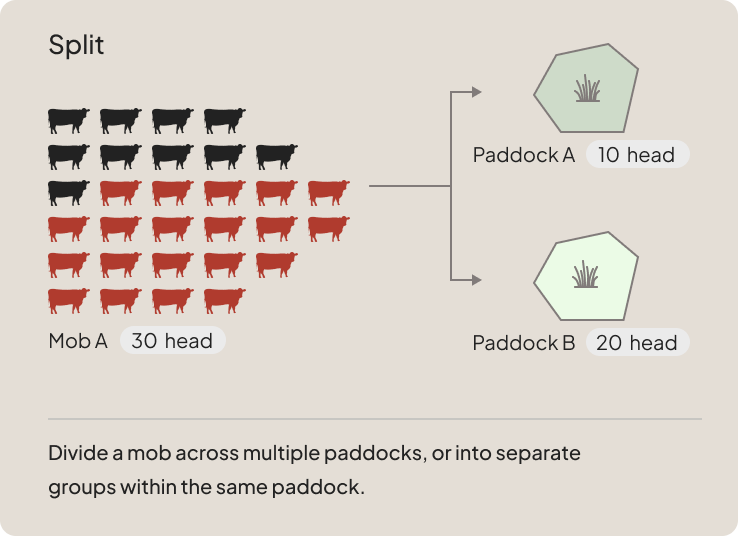
SplittingDividing a mob across or within paddocks.

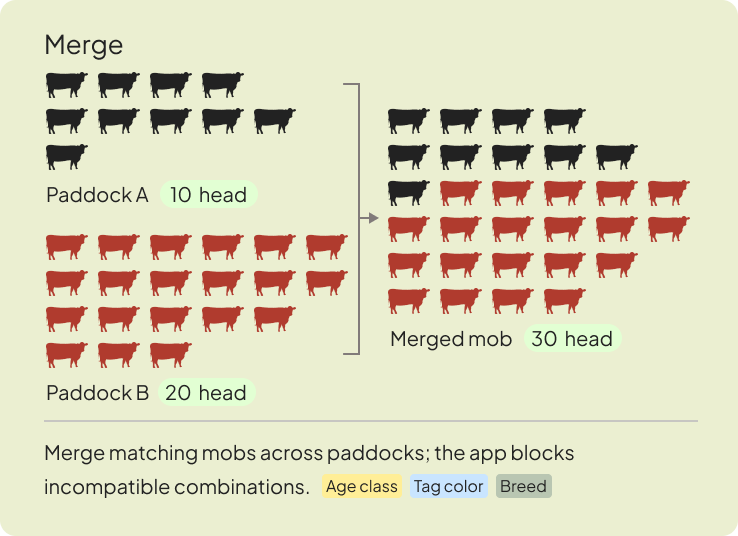
MergingCombining compatible mobs based on shared attributes (age, tag color, breed).

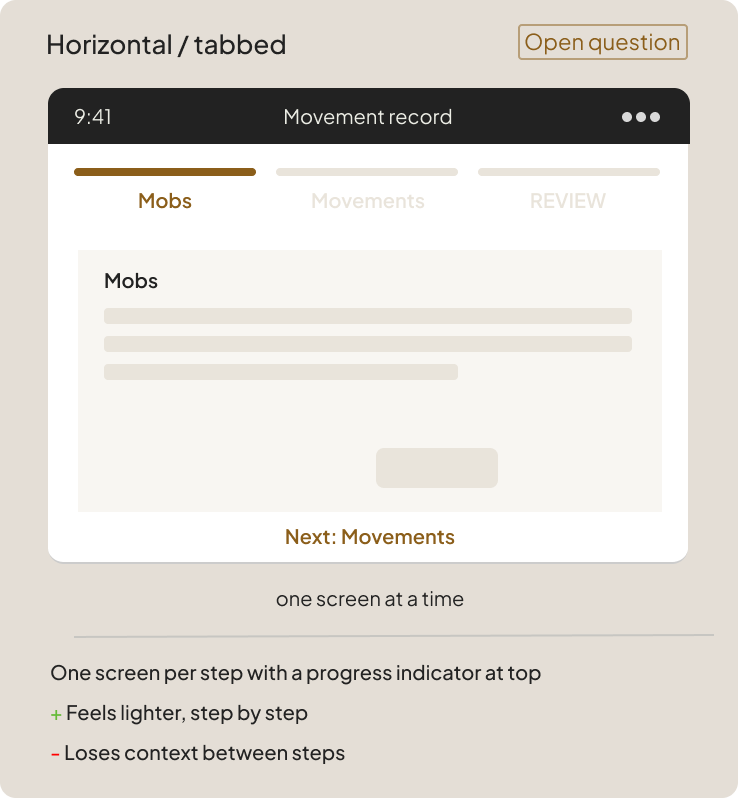
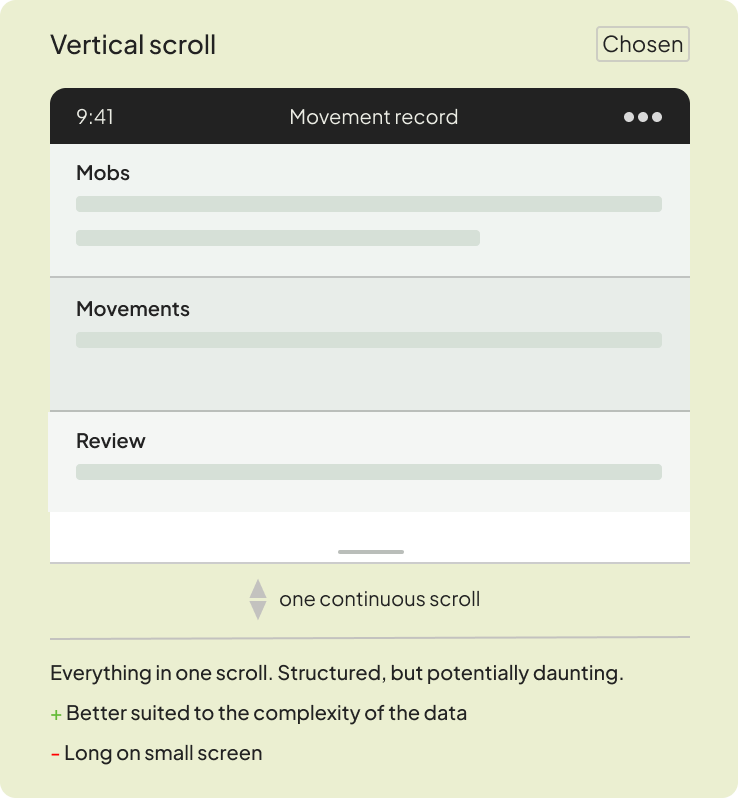
To manage complex mobile data entry when splitting mobs, we tested a continuous vertical scroll against a multi-step horizontal flow. We shipped the vertical form to better handle data complexity, keeping the horizontal approach in mind for future iterations.
Mobile view
Desktop view
Section 03 – Outcome & impact
- 2
- Split modes
- 1
- Entry point
- ↻
- Real-time
- 1
- Open question
Cross-paddock + same paddock
Drag & drop on map – retained
Stocking data sync across farm
Mobile form design – systemic
Both core split use cases – across paddocks and within the same paddock – shipped at launch. Drag and drop on the map remained the primary entry point, extending a gesture farmers already trusted. Movement records now close the loop on the Grazing Planner, turning intention into fact across every connected view of the farm in real time.
Both split modes live at launch
Cross-paddock + same-paddock
Drag & drop entry point retained
Familiar gesture, extended capability
Real-time stocking data sync
Across all connected farm views
Paddock summary history tab integration
Movement records feed directly in
Target mob concept communicated
Contextual help built into the flow
Mobile form design framework
Scroll vs multi-screen – systemic, unresolved
Flexible form pattern system
Design challenge across entire product